I bricked my smart ceiling fan, then reverse-engineered it back to life
Full local control over a cloud fan - without killing the app the rest of the house still uses.
It started, like most of what I do, with being lazy.
The problem
Recently, I bought a smart ceiling fan so I could turn the lights and fan on and off without having to move once I got into bed.
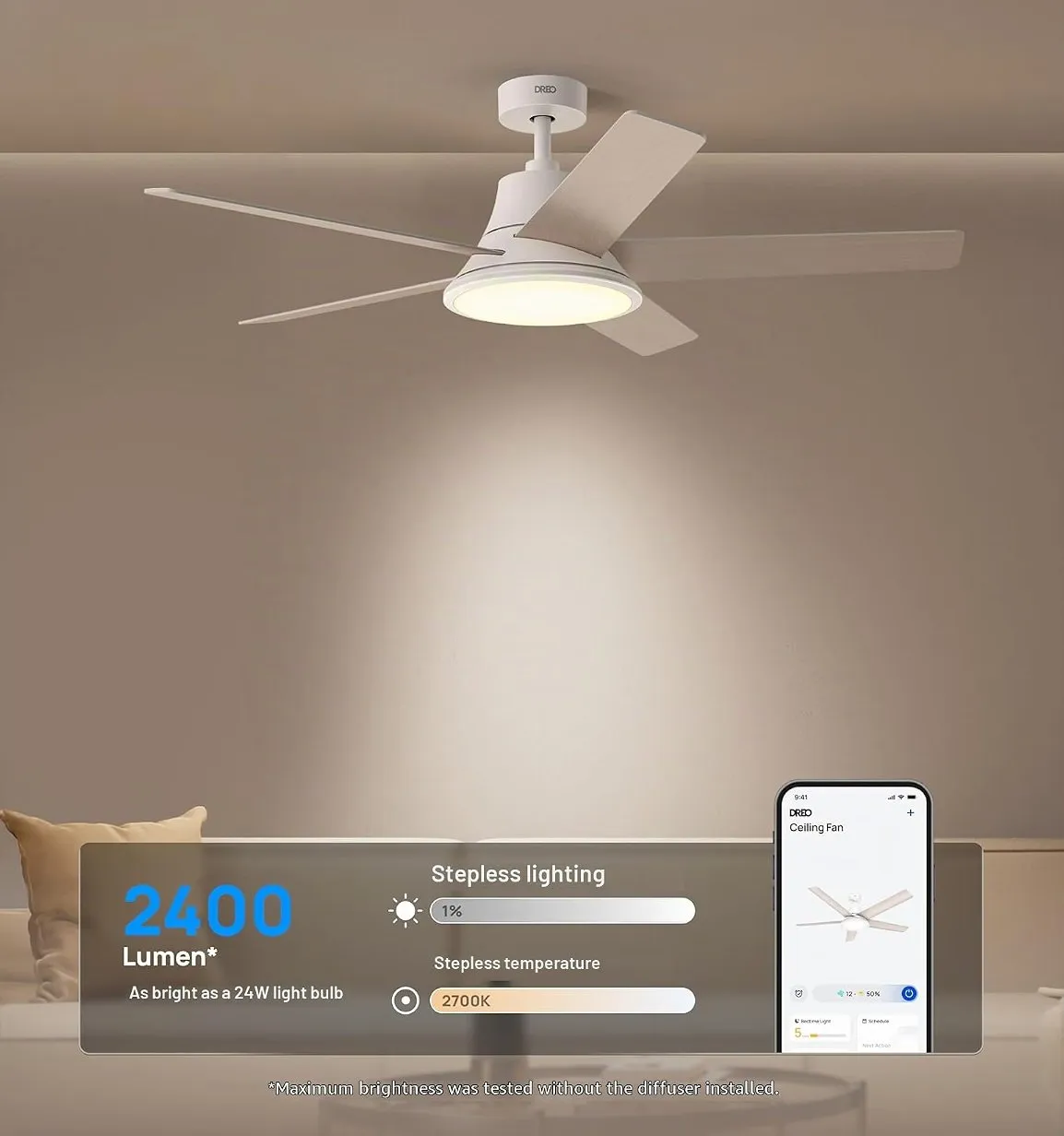
After a few weeks of using it, I started getting annoyed with how the fan always remembered its last state: if I’d left it off, it came back off and I would have to reach for my phone or a voice assistant to turn it on, which weren’t always close by. The natural solution would be to buy a smart switch to accompany the fan, but I didn’t want to do that; there was already a perfectly good switch on the wall that should just work. Some of my other smart devices have a setting that lets you decide whether they should remember the last state, or always turn on. That setting didn’t exist on my fan.
A few weeks later I settled for a lazy compromise: a Home Assistant automation that flips the light on the moment the fan powers up. It worked, but it took a long time until the fan fully connected to Wi-Fi and to my Home Assistant. I wanted something faster than that, so I decided to stop waiting on the vendor and fix the boot behavior myself.
Attempt 1: The fuck-up
My first instinct was to play around with the firmware by trying to find an existing cloudcutter project and reuse it. I found dreo-cloudcutter - except it’s built for a different Dreo product, the tower fan, whose internals don’t match mine. So it didn’t fit, but it was a useful reference. Both products had a very similar firmware flashing method: in pairing mode the Wi-Fi module exposes an unauthenticated /ota upload page.
I made the mistake of asking my agent to investigate how the existing dreo-cloudcutter project could work with my ceiling fan, and it decided to flash an empty ESPHome image on the fan.
The firmware flash worked, ESPHome landed on the Wi-Fi module, a Beken BK7231N, the little chip that handles networking while a separate motor controller actually runs the fan. And in working, it broke everything. I now had ESPHome sitting on my network, fully reachable, logged in, and completely useless. I couldn’t turn the fan on. I couldn’t turn the light on. The Dreo app showed it as gone, and the Google Home control that hung off the Dreo account went with it. I had taken a working smart fan and turned it into a dumb fan with a web page.
My one saving grace was that the physical remote still worked. I had, in effect, bought a very expensive fan with a remote control.
What I didn’t know yet, and what would save the whole project later, was that flashing ESPHome only rewrites the app firmware. The factory data lives in its own separate region of the chip, and that was left completely untouched.
Attempt 2: What now?
After a few all-caps prompts to my agent and realizing I couldn’t roll back, I decided to roll forward and went searching for my fan’s firmware online. There was nothing usable. The only public firmware images were from 2021, and for the wrong model - the tower fan again.
So I started looking at the Dreo phone app instead. The app clearly had a firmware update function, which meant it knew how to fetch firmware, so I had my agent pull apart the APK (com.hesung.dreo) and decode its React-Native bundle. That turned up a lot: the cloud API endpoints, the whole pairing and registration flow, the S3 buckets the app pulls from, even the certificate setup. What it did not turn up was the firmware itself. Just a way to tell the fan to update on its own. I had a map of the cloud, but no way back in.
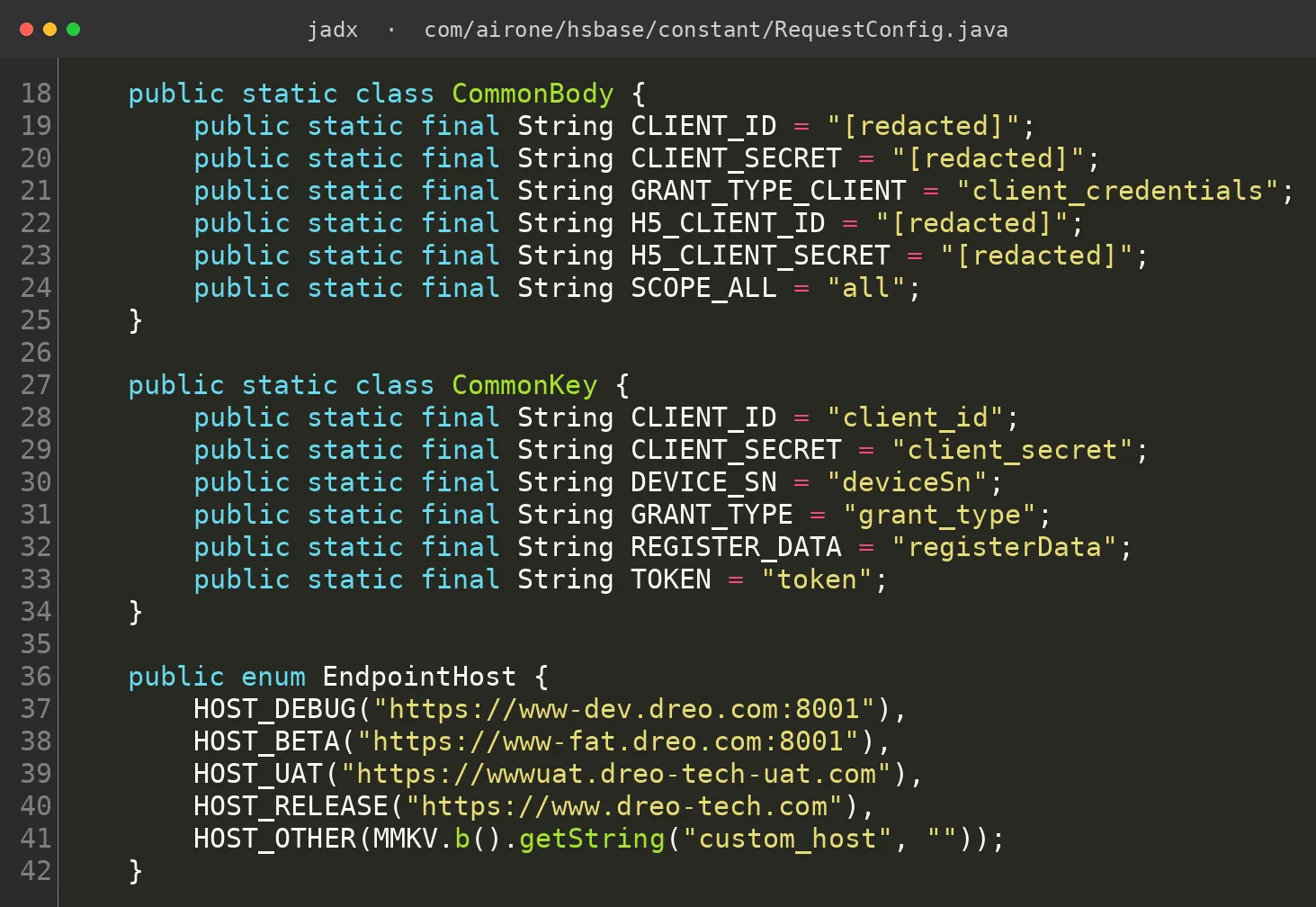
Attempt 3: It’s Alive!
Sitting in a dark fanless room (just for dramatic effect, the remote still worked), I decided I had nothing left to lose. I asked the agent to take everything it had learned from the 2021 tower-fan firmware and the decompiled Android app, and try to talk directly to the fan’s motor controller, the second chip, which speaks a small 55AA serial protocol to the Wi-Fi module.
The agent started experimenting and for a long time it did nothing. Then the fan chirped, the exact little chime it plays when you change a setting on the remote. Nothing had actually changed in the fan’s settings, but it was acknowledging a signal. The chip was listening, and I just had to find the right words - and, as I’d learn later, the right time. The module runs a startup ceremony (a few seconds of silence, then a ladder of heartbeat and status frames) before it applies a single write; until that happens, commands are swallowed in silence. After a dead fan and a dead app, that chime was still the most encouraging sound I’d heard in days.
Encouraged that this approach could work, I built a small harness that allowed me to send many different commands and monitor their results by reading data back.
The protocol itself - 55 AA - is quite simple: a command byte, a data-point record, and a checksum. The builder below is labelled with what each data point turned out to be; at this point I only knew the shape of a frame, not which DP did what. Try it:
Attempt 4: Setting up the feedback loop
First I clicked buttons on the remote and recorded how the MCU state changed. That helped me read the current state, but I couldn’t translate it into commands that actually changed anything on the fan.
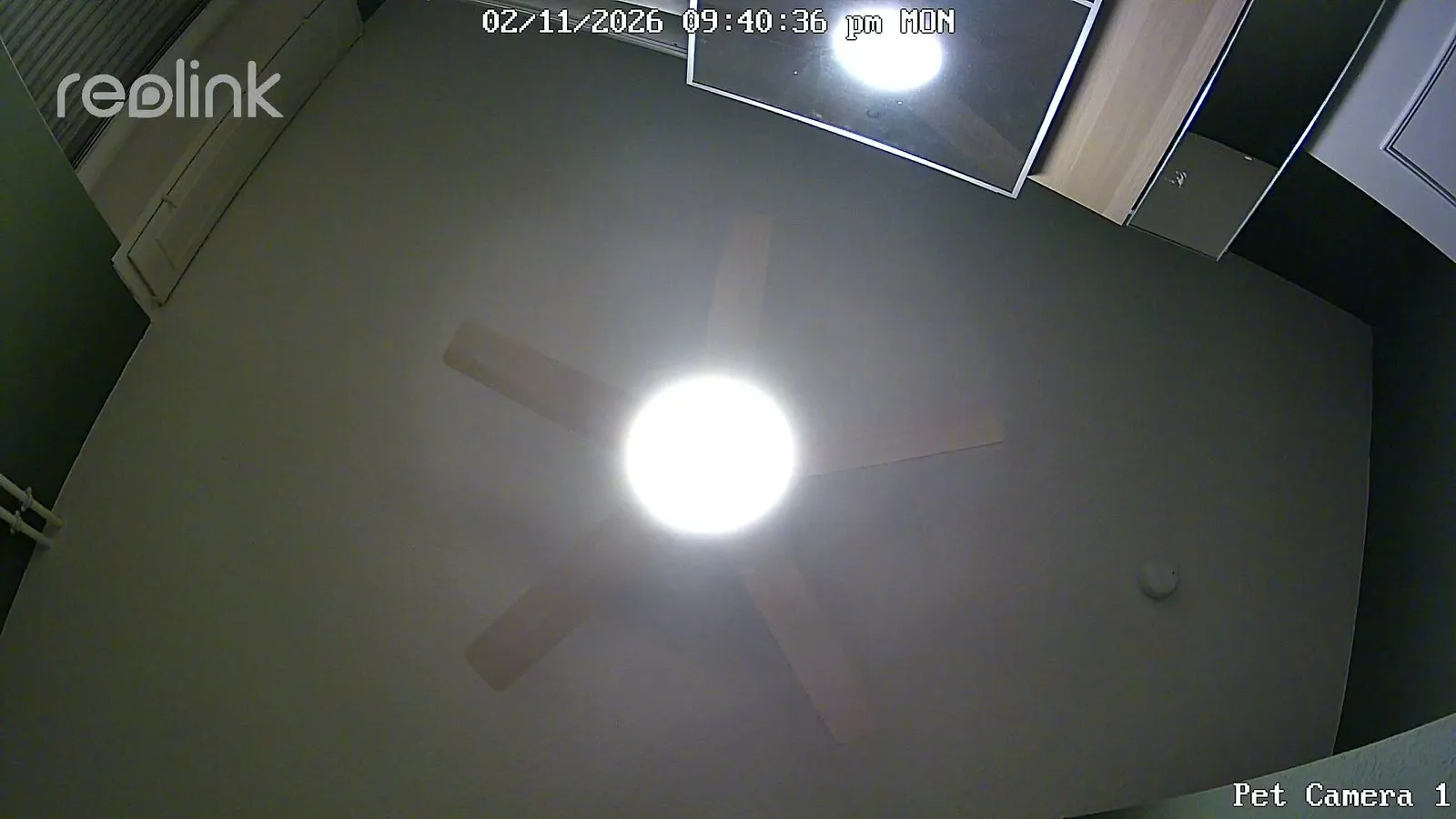
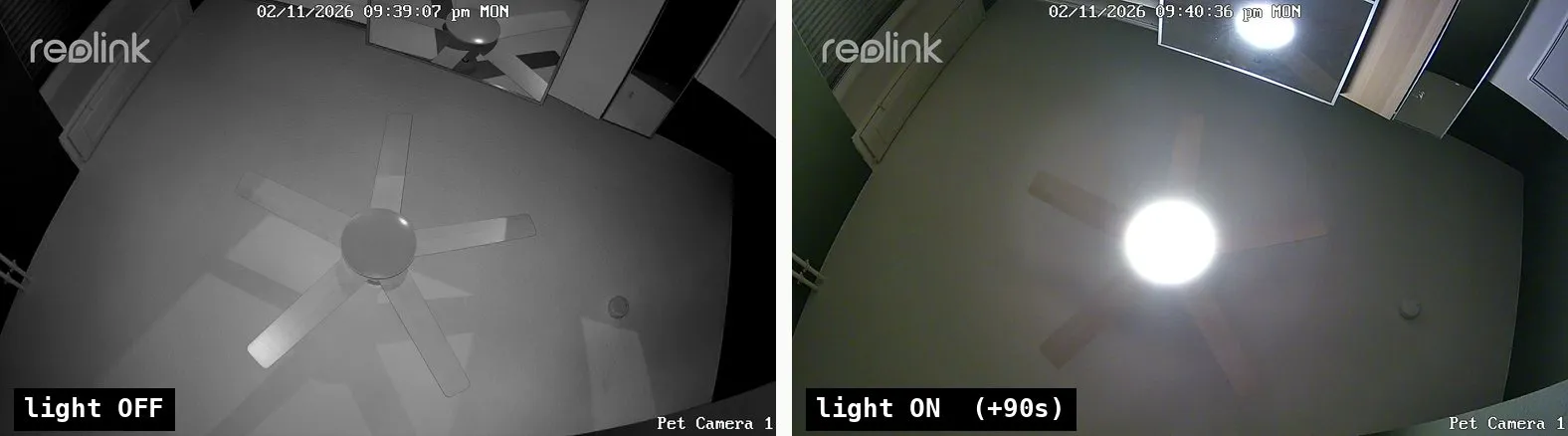
My next attempt was to mount a camera pointed straight up at the fan. The agent diffed raw pixels frame to frame, and worked out what “on” and “off” looked like. Armed with feedback, I let the agent brute force the commands based on the historical data it knew and its understanding of the protocol itself.
The agent confidently declared the motor “locked” more than once, and was wrong every time - one “fix” turned out to be me toggling a room light in the background and contaminating the frame. It also kept mixing up light and fan commands (dp2 vs dp3). It also missed that the controller only acts on a change in value. Once those caveats were understood, the commands started to fall one by one.
By the end I had a mostly functional local interface for my fan - light, speed, direction, color temperature - running entirely on my own network. The one holdout was brightness: the slider did nothing I could measure, and I shelved it as unsolved. (Hold that thought.) Otherwise, I was very happy.
Attempt 5: Stealing the key back from the flash
I now had a fully isolated fan. Local, fast, cloud-free, exactly what I’d set out to build. And yet I wanted the cloud back, because the Dreo app and the remote access and voice control riding on it all lived there. Impersonating the fan to Dreo’s servers meant getting two things I didn’t have: the stock firmware I’d thrown away in Attempt 1, and the device’s cloud identity.
Calling the Dreo cloud update endpoint with my fan’s serial number just came back with “you are up to date”. Dreo tracks the firmware version for its fans and refuses to resend the same firmware again. The eureka moment was finding serial numbers for the same ceiling fan posted online - and those fans hadn’t been updated to the latest version. Using one of those serial numbers and claiming an older firmware version in the request, I got a direct URL to download the firmware.
I decompiled the firmware, and it paid off immediately. Buried in the image was the manufacturer’s own table of every control the fan exposes - and there, finally, was the brightness mystery from Attempt 4. It was a data point we’d simply never tried (dp6), and it was enum-typed, which is why every attempt to nudge it like a plain number had done nothing. I wired up the slider and it worked. Problem closed, a day after I’d given up on it.
The next breakthrough came from the flash layout itself. ESPHome only occupies the app region of the chip; the factory data sits at its own separate addresses, which my Attempt 1 flash never touched. The device’s original cloud identity was still up there, at a known address, in plain, readable text.
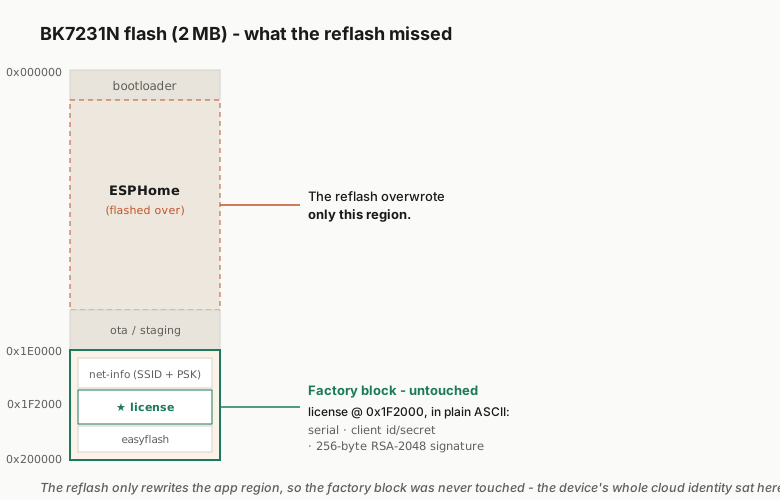
It was a tiny structured blob with the fields spelled out in the clear: the serial number, the client ID and secret the device logs in with, and the important one, a 344-character base64 string that decodes to 256 bytes, the size of an RSA-2048 signature. That blob is the fan’s birth certificate: a per-device credential written at the factory that the device simply presents to the cloud to prove it’s genuine.
flash 0x1F2000  -  factory credential block
        +---------------------------------+
+0x000  |  Amazon Root CA 1      ~1.3 KB  |  public CA certificate
        +---------------------------------+
+0x500  |  serial number (SN)       52 B  |  identifies the device
        +---------------------------------+
+0x540  |  client_secret            32 B  |  the app's cloud secret
        +---------------------------------+
+0x580  |  client_id                32 B  |  the app's cloud id
        +---------------------------------+
+0x5C0  |  signature  *        344 B b64  |  256-B RSA-2048  <- the cloud checks THIS
        +---------------------------------+
        * signature = the durable credential the module presents to register.
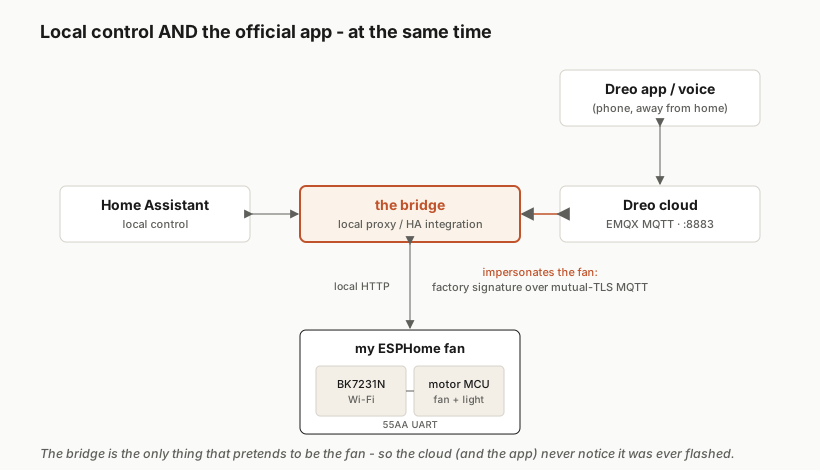
Reading the credentials, and combined with everything I’d collected about the Dreo API and its auth flow, I could connect from my dev machine to the Dreo cloud as the fan - which unblocked building the local/cloud proxy.
What’s noteworthy here is that the transport layer was actually done right. Mutually-authenticated TLS, the manufacturer’s own pinned root CA, serial numbers as the MQTT client ids. A man-in-the-middle attack wouldn’t have worked here, and I did try. The weak link was that the device’s whole identity sits in plaintext in flash, and the OTA flasher doesn’t validate signatures.
Resolution
To finish it up, I created a Home Assistant integration that runs the Dreo local proxy and connects to both the fan and the cloud. This gives me full local isolation when I want it, and the benefit of a cloud-connected IoT device. I could use the fan from the Dreo app just like I did before, I could use it from Home Assistant or Google Home. Or most importantly, I can make sure that the lights always come on the moment the wall switch is flipped - with code running on the fan’s hardware. Still optimizing the latency for that, but it is much better than before.
Bonus: Micky - The cat assistant
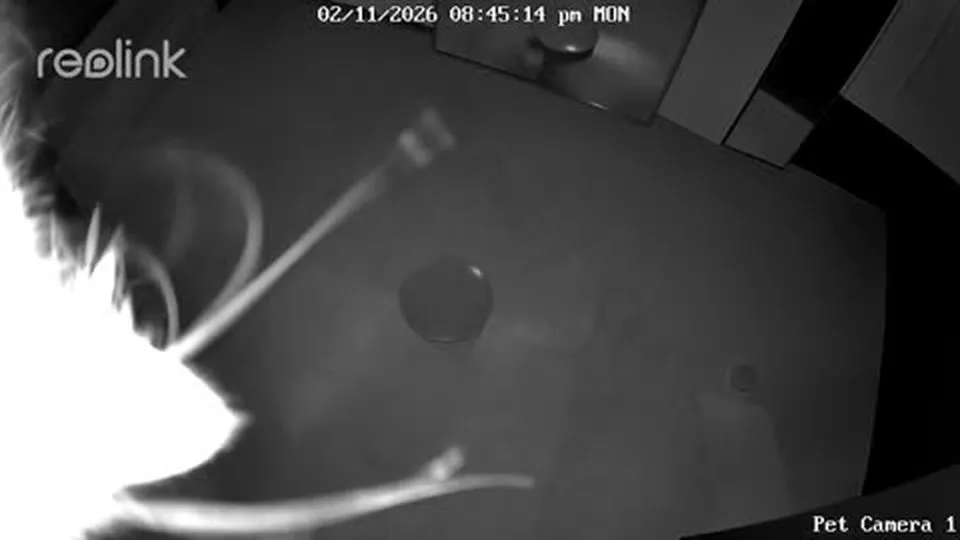
My assistant, Micky, had to examine the footage himself. No tomfoolery on his watch.
Bonus: ESP32 can be a Wi-Fi dongle in a pinch
I didn’t have a Wi-Fi dongle handy when I started this project. And you need Wi-Fi to connect to the smart fan when it’s in pairing mode and flash the firmware. I dug out an ESP32 I had lying around and asked my agent to use it as a dongle. It worked well enough that I was able to do this without getting a dongle.
Source & more detail
Everything from this project is on GitHub:
- ahmedwalid05/dreo-local - the ESPHome config, the cloud bridge, and the Home Assistant integration that ties it all together.
- ahmedwalid05/dreo-firmware-emulator - a Unicorn-based emulator that boots the real fan firmware in software, no hardware required.
- The Fan: DR-HCF001S
Not affiliated with Dreo. Everything here was done on hardware I own, and no device secrets are published.